
2026 Top Best POS Terminal Buying Guide for Global Buyers

Choosing a payment device is no longer a simple hardware purchase. For global buyers, the best pos terminal must fit real stores, real customers, and changing payment habits.

A compact terminal may serve a quiet café, while a rugged model suits a busy supermarket counter. Touchscreens, contactless payments, barcode scanning, receipt printing, battery life, and network options all shape daily performance. Richard Crone, founder of Crone Consulting and a recognized payments strategist, has said, “The checkout is the last mile of the customer experience.” That idea matters. A slow approval, weak signal, or confusing interface can damage trust within seconds.

This 2026 buying guide examines the details behind a reliable choice. It compares processing speed, operating systems, security features, cloud management, device durability, and total ownership costs. It also considers regional payment methods, currency support, connectivity, technical service, and integration with inventory systems. Buyers should verify current PCI DSS responsibilities and local requirements with qualified providers, because compliance conditions can differ by market. No single device wins everywhere. That is the uncomfortable part. A premium terminal may be excessive for a small retailer, while a low-cost model may create expensive service problems later. We will look beyond polished screens and attractive prices. Battery tests, cable placement, staff training, and replacement time deserve equal attention. Some recommendations may change as technology develops. That is worth admitting. The best pos terminal is not merely the newest device. It is the one that keeps transactions clear, secure, and dependable during an ordinary, crowded business day.
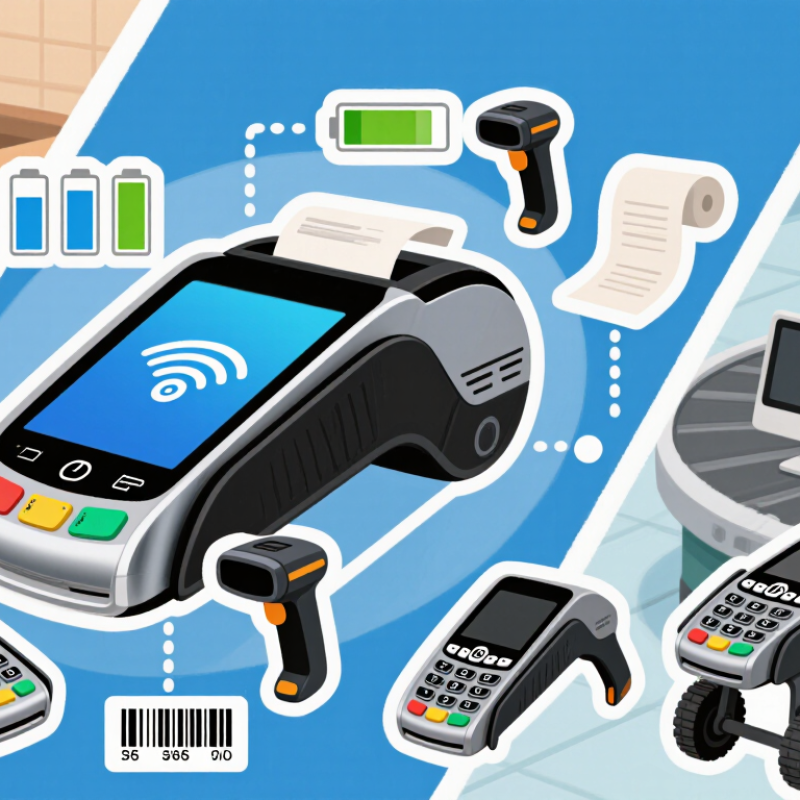
2026 Top Best POS Terminal Buying Guide for Global Buyers

What a POS Terminal Is and How It Supports Modern Payments

A POS terminal is a device that connects a customer’s payment method with a merchant’s transaction system. It can process cards, contactless payments, mobile wallets, and approved QR payments. The terminal reads payment data, requests authorization, and displays the result within seconds. Some models also print receipts or send digital copies.

Modern payment support depends on more than fast checkout. A reliable terminal uses encryption, tokenization, and secure authentication to reduce exposure of sensitive data. It may connect through Wi-Fi, cellular networks, Ethernet, or Bluetooth. If the internet fails, limited offline functions may keep transactions moving, but merchants must understand the risks and settlement rules. That detail is often overlooked.

For global buyers in 2026, practical evaluation should include currency handling, language settings, receipt options, integration capability, and local compliance requirements. A terminal should connect smoothly with inventory, accounting, and customer management systems. Field experience shows that simple interfaces reduce staff errors during busy periods. No device is perfect. Battery life can weaken, wireless signals can fail, and software updates may interrupt operations. Buyers should examine warranty coverage, technical support hours, replacement procedures, and data-handling policies before choosing equipment. A low purchase price may hide training, connectivity, or maintenance costs. Even careful buyers can miss those expenses.

Key POS Terminal Types and Their Core Features

A POS terminal should match the payment environment, not just the sales volume. Countertop terminals suit fixed checkout counters and often include wired connectivity, receipt printers, bright displays, and multiple payment options. They provide stable daily performance, but their limited mobility can slow service during busy periods.

Mobile POS terminals support cafés, delivery counters, markets, and queue-based selling. Look for strong batteries, Wi-Fi and cellular connectivity, barcode scanning, and contactless payment support. Unattended terminals need reinforced screens, clear instructions, fast transaction processing, and remote monitoring. Self-service use exposes weak designs quickly. A loose charging port or poor screen response becomes a daily problem. I have found that simple interfaces usually reduce training time, although some advanced features may remain unused.

Tips: Test the terminal in its real environment before purchase. Check network recovery, battery endurance, screen visibility, and printer speed. Confirm encryption, software updates, warranty coverage, and regional payment compliance. Ask for security documentation, but do not rely on certificates alone. Staff feedback matters. A device may look professional yet feel awkward after eight hours of use. Choose replaceable accessories where possible, and measure the total operating cost, including support, connectivity, repairs, and transaction infrastructure.

2026 Top Best POS Terminal Buying Guide for Global Buyers - Key POS Terminal Types and Their Core Features

POS Terminal Type Typical Form Factor Core Functions Payment Methods Connectivity Typical Screen and Printer Setup Best-Fit Business Scenarios Key Buying Considerations
Countertop POS Terminal Fixed device installed at a checkout counter Order entry, payment processing, receipt management, tax calculation, inventory connection, and staff access control Chip cards Contactless cards Mobile wallets Magnetic stripe where supported Ethernet, Wi-Fi, USB, and optional cellular backup Usually a 10–15 inch touchscreen with an integrated or connected thermal receipt printer Supermarkets, restaurants, pharmacies, department stores, and permanent retail counters Check counter space, Ethernet reliability, printer paper size, peripheral ports, payment certification, and compatibility with the existing POS software
Mobile POS Terminal Handheld terminal with a rechargeable battery Portable checkout, table-side ordering, payment acceptance, digital receipts, refunds, and customer-facing transactions EMV chip NFC contactless QR payments Mobile wallets Wi-Fi, Bluetooth, USB-C, and usually 4G or 5G cellular connectivity Approximately 5–8 inch touchscreen; integrated printer may be included or omitted Restaurants, delivery services, pop-up stores, field sales, events, and curbside pickup Compare battery capacity, charging time, drop resistance, cellular coverage, grip comfort, and offline transaction support
Smart POS Terminal Android-based all-in-one payment and business device Payment acceptance plus applications for inventory, loyalty, staff management, analytics, digital ordering, and customer engagement EMV chip NFC QR codes Gift cards Wi-Fi, Ethernet through dock or base, Bluetooth, USB, and optional cellular service Typically a 5–15 inch color touchscreen; printer may be integrated or connected Small and medium-sized retailers, hospitality businesses, service providers, and multi-channel merchants Review operating-system update policy, application ecosystem, security controls, memory, processor performance, and long-term software support
Integrated POS System Terminal connected to a full set of checkout peripherals Sales processing, inventory synchronization, employee management, customer records, accounting integration, and business reporting Chip cards Contactless QR payments Stored-value cards Ethernet or Wi-Fi with USB, serial, Bluetooth, and peripheral expansion ports Large touchscreen or monitor paired with a cash drawer, barcode scanner, receipt printer, and customer display High-volume retail, grocery, hospitality groups, salons, and businesses requiring centralized control Assess total system compatibility, installation requirements, data synchronization, serviceability, peripheral replacement, and integration costs
Self-Service Kiosk POS Freestanding or wall-mounted customer-operated station Customer ordering, product selection, payment, queue reduction, order confirmation, and digital receipt delivery Contactless cards Chip cards QR wallets Cashless payment Ethernet or Wi-Fi; optional cellular failover; USB and internal peripheral interfaces Usually a 15–32 inch touchscreen with optional receipt printer, scanner, and customer guidance speakers Quick-service restaurants, cinemas, transport facilities, hospitals, government services, and large venues Prioritize accessibility, screen brightness, vandal resistance, hygiene, payment security, remote monitoring, and easy cleaning
Unattended Payment Terminal Compact terminal embedded in a machine or access point Automated payment authorization, transaction confirmation, vending control, access validation, and remote diagnostics Contactless cards Chip cards QR codes Open-loop transit payments Ethernet, Wi-Fi, 4G, 5G, or serial connection depending on installation Small display or no full touchscreen; typically no receipt printer Vending machines, parking systems, laundries, charging stations, ticketing, and access control Confirm outdoor rating, temperature range, tamper protection, contactless antenna performance, remote management, and network uptime
POS Payment Pin Pad Customer-facing card acceptance device linked to a POS system Card authentication, PIN entry, contactless payment, transaction confirmation, and secure communication with the payment host EMV chip NFC PIN entry QR payment support on selected models USB, Ethernet, serial, Bluetooth, or proprietary secure connection to the POS system Small secure display with physical or touch keypad; normally no receipt printer Retail checkout, hospitality counters, ticket offices, and any business using a separate POS application Verify payment-industry certification, encryption, tamper response, keypad layout, accessibility, and integration with the acquiring service
Retail Tablet POS Tablet-based checkout system used with a stand or mobile enclosure Catalog browsing, order processing, inventory lookup, customer profiles, loyalty enrollment, and omnichannel selling Card reader accessory NFC QR payments Digital wallets Wi-Fi, Bluetooth, USB-C, and optional cellular connectivity Approximately 8–13 inch touchscreen; receipt printer and scanner are usually external Boutiques, mobile retail teams, appointment businesses, showrooms, and line-busting checkout Evaluate accessory reliability, battery endurance, device management, screen durability, operating-system compatibility, and secure payment attachment
Portable SmartPOS with Printer Handheld smart terminal with integrated thermal printer Mobile checkout, printed receipts, product lookup, delivery confirmation, refunds, and staff-assisted selling EMV chip NFC QR codes Digital wallets Wi-Fi, Bluetooth, USB-C, and 4G or 5G cellular connectivity Usually a 5–7 inch touchscreen with a built-in 58 mm or similar thermal printer Food delivery, logistics, repair services, outdoor markets, transportation, and mobile merchants Compare print speed, paper-roll availability, battery performance during printing, ruggedness, network roaming, and replacement-part access
Hospitality POS Terminal Fixed or handheld system designed for food and beverage operations Menu management, table service, modifiers, kitchen routing, split bills, tips, reservations, inventory, and shift reporting Chip cards Contactless QR ordering Mobile wallets Wi-Fi, Ethernet, Bluetooth, USB, and optional cellular for portable units 8–15 inch touchscreen; connected kitchen printer or kitchen display is common Restaurants, cafés, bars, hotels, food courts, catering operations, and hospitality groups Check spill resistance, table-side payment workflow, kitchen integration, tip handling, offline mode, printer routing, and peak-hour performance
Buyer note: Payment availability, certification requirements, tax rules, connectivity options, and supported currencies vary by country and payment service provider. Confirm local compliance before purchase.

How to Evaluate POS Hardware, Software, and Connectivity

2026 Top Best POS Terminal Buying Guide for Global Buyers

How to Evaluate POS Hardware, Software, and Connectivity

A strong POS terminal should fit the daily rhythm of your store. Check screen brightness under direct sunlight. Test the keypad with wet or gloved hands. A fast processor matters, but stable performance matters more during busy checkout periods. In store trials, compare receipt speed, scanner accuracy, and payment response time. A terminal that overheats after several hours deserves caution. Appearance can mislead.

Software should support clear product menus, tax settings, staff permissions, inventory updates, and detailed sales reports. Confirm whether it works with your accounting and e-commerce systems. Ask how often security updates are released. Offline mode is useful when the internet fails, but test its limits before purchase. Some systems recover smoothly; others create confusing duplicate records. That difference can affect real revenue.

Tips:

Test the complete setup, not just the screen. Connect the terminal through Ethernet, Wi-Fi, and cellular backup. Walk around the store and check signal strength near walls and storage areas. Review data protection, encryption, and local payment requirements with qualified advisers. Request a written service response time. Also inspect cables, mounting parts, and replacement availability. Small hardware failures often create larger delays. Be honest about future needs. A low-cost terminal may become expensive when expansion requires new software, extra licenses, or different connectivity.

Security, Compliance, and Integration Factors for Global Buyers

A modern POS terminal must protect payment data from the counter to the processor. Look for end-to-end encryption, secure key management, and tokenization. Sensitive card details should never remain exposed in local storage. Tamper detection, locked firmware, and signed software updates also matter. Physical security matters too.

Compliance varies across markets. Confirm support for recognized payment security standards and regional privacy requirements before purchasing. Require clear audit logs, role-based access, and strong administrator authentication. Ask how security patches are delivered and tested. A terminal may pass certification today, yet become risky without regular maintenance. That detail is often overlooked.

Tips: Test the terminal in real store conditions. Check network failure behavior, receipt accuracy, and integration with inventory systems. Use documented APIs for accounting, loyalty, and payment connections. Confirm data residency options where required. Request independent security evidence, not only sales claims. Avoid choosing the cheapest device without calculating support costs. Integration can look simple during a demonstration, then become frustrating during deployment. Pilot a small group of terminals first. Keep a written fallback procedure. Perfect compatibility is rarely guaranteed.

2026 Top Best POS Terminal Buying Guide for Global Buyers

Security, compliance, and integration factors for global POS terminal procurement

How to use this chart: The 100-point weighting model prioritizes the factors most relevant to cross-border POS deployment. Security and compliance should be validated against current PCI payment-device requirements, EMV acceptance requirements, applicable privacy rules, and secure network standards. Integration scoring should cover payment APIs, encryption, remote device management, operating-system support, connectivity, and compatibility with existing business systems.

The percentages represent a practical procurement weighting model, not market share or vendor performance.

How to Compare Suppliers, Prices, and Long-Term Ownership Costs

When comparing POS terminal suppliers, avoid judging by the purchase price alone. Worldpay’s Global Payments Report 2024 states that digital wallets represented 30% of global in-person transaction value in 2023. Your terminal must therefore support local wallets, cards, contactless payments, and offline recovery. Ask suppliers for certification records, deployment experience, response times, and integration documentation. A polished sales demo is not proof of reliable field performance.

Build a five-year ownership worksheet. Include hardware, payment processing, software subscriptions, SIM data, installation, training, repairs, and replacement batteries. Add the cost of downtime. Even a two-hour outage can hurt a busy store. PCI Security Standards Council guidance also makes secure payment hardware and controlled software updates essential. Request a written warranty, spare-unit policy, and service-level agreement. Compare identical assumptions, not attractive headline quotes.

Supplier transparency matters more than a small discount. Some proposals hide gateway fees or compulsory updates. That is easy to miss. Experience shows that cheap terminals can become expensive after integration changes. Still, no forecast is perfect. I would test three months of transaction volume before committing widely. Ask for pilot data, failure rates, and customer support records. If a supplier refuses these details, the low price deserves a second look.

Get In Touch

Drop Us A Message

    Our Contact Details

    • IPS Group BV | Head Office (NB), Technopol 4, 5026 SB Tilburg, The Netherlands

      IPS Group BV | Rhijnspoor 239, 2901 LB Capelle a/d IJssel, The Netherlands
    • sale@qbhardware.org
    • +31 (0) 10 303 2625